7 Steps to Build a Conversational Ad Manager for Spotify Using Claude Plugins
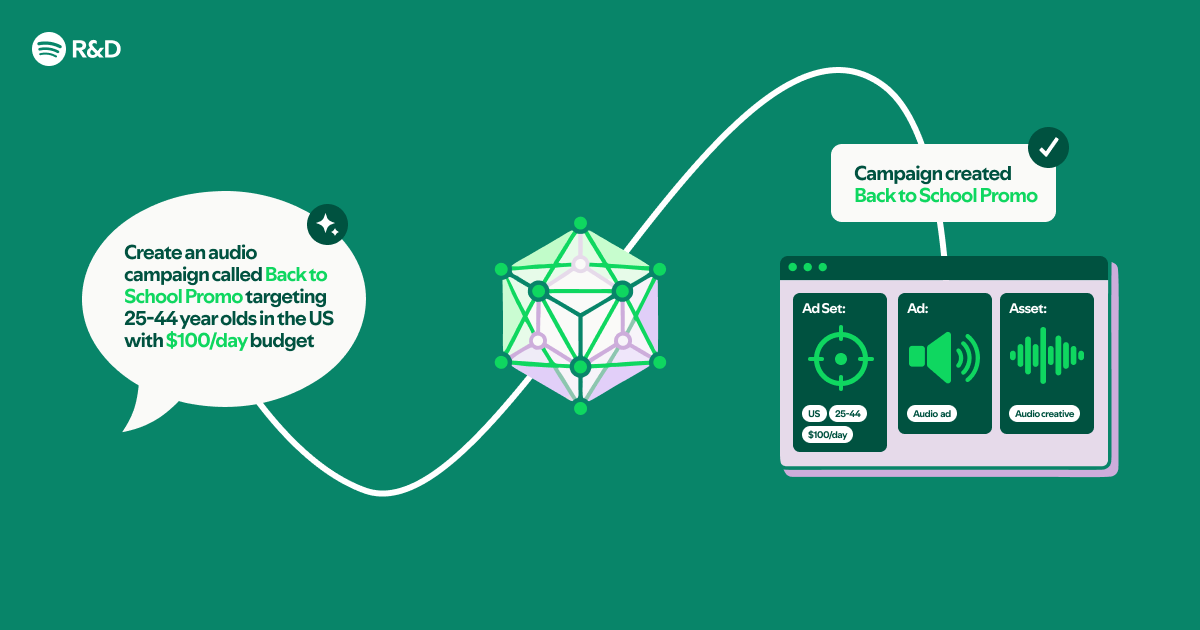
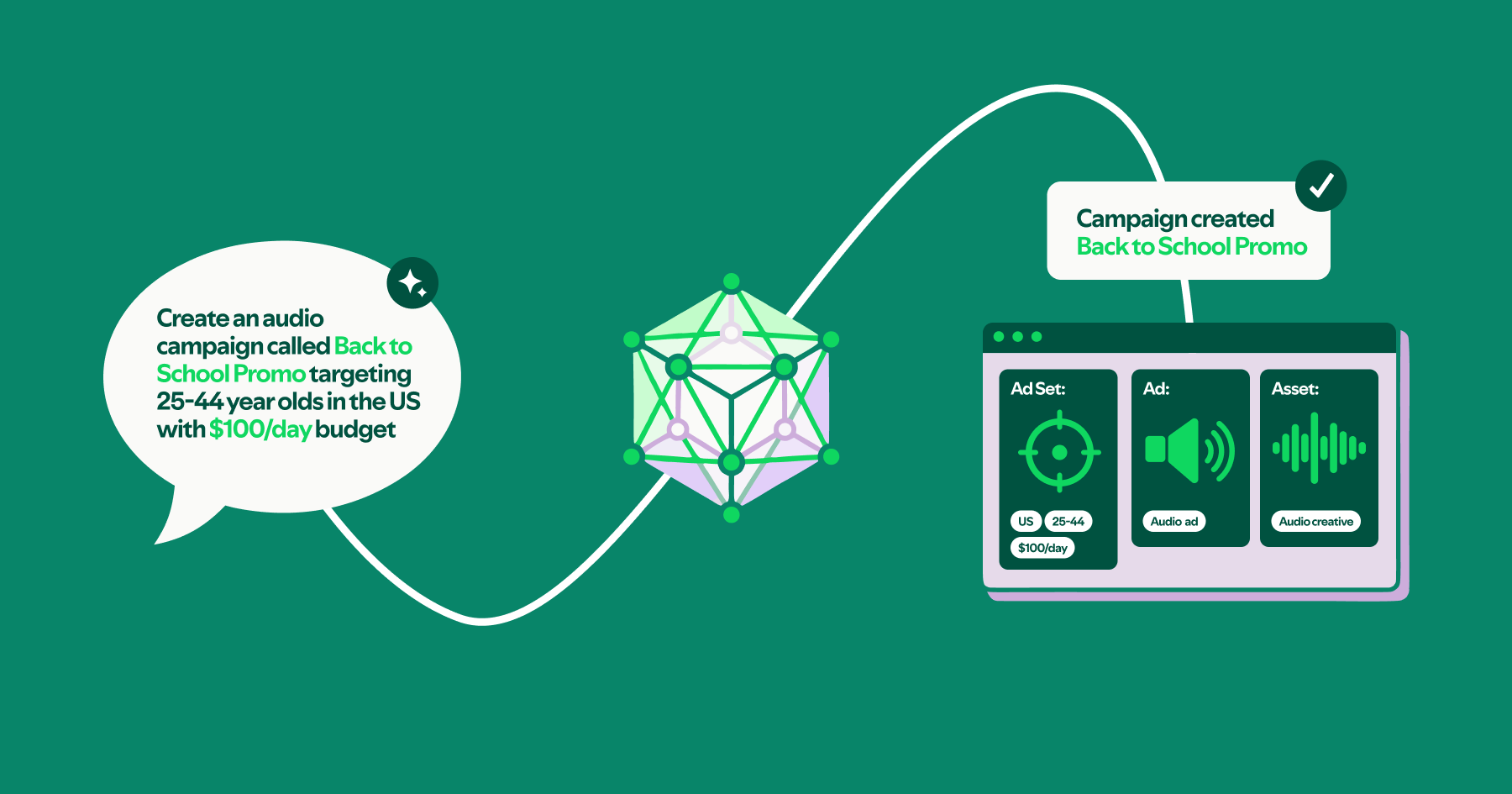
Imagine managing your Spotify ad campaigns by simply chatting with an AI—no coding, no complex dashboards. Thanks to Claude Code Plugins and the Spotify Ads API, this is now possible. By combining an OpenAPI specification with Markdown documentation, you can create a natural language interface that turns plain English into powerful ad operations. In this listicle, we’ll walk through seven essential steps to build your own conversational ads management tool—without writing a single line of compiled code.
1. Start with the Spotify Ads API OpenAPI Spec
The foundation of your interface is the OpenAPI specification (formerly Swagger). This machine-readable document describes every endpoint, parameter, and response in the Spotify Ads API. Download the latest spec from Spotify’s developer portal. This file acts as the blueprint for Claude to understand available actions—like creating campaigns, fetching reports, or adjusting bids. By importing the spec into your plugin configuration, you tell Claude exactly which API calls are possible and what data they expect.
2. Supplement with Markdown Documentation
OpenAPI specs are precise but lack context. To make the interface truly conversational, you need richer descriptions. Write Markdown files that explain common workflows, business rules, and examples. For instance, document how to calculate budget pacing or interpret ad performance metrics. These files become the “knowledge base” that Claude references when answering user questions. Organize them logically—perhaps by campaign type or lifecycle stage—so the AI can find relevant guidance quickly.
3. Configure Claude Code Plugins
Claude Code Plugins allow you to inject external data sources into the AI’s context. In your plugin manifest, point Claude to both the OpenAPI spec and your Markdown documentation. You’ll define search paths and relevance thresholds. This setup ensures that when a user asks, “What’s my top-performing audio ad this month?”, Claude scans the spec to identify the getAdPerformance endpoint, then consults your Markdown to format the request properly. No hard-coded logic needed—just structured references.
4. Design a Simple Prompt Template
While much of the heavy lifting is automatic, a well-crafted system prompt improves reliability. Write a prompt that instructs Claude to:
- Interpret user intent (e.g., create, read, update, delete)
- Map intent to an API endpoint using the spec
- Fill required parameters from conversation context
- Explain the outcome in plain language
5. Test with Real Ad Campaign Data
Once configured, test the interface with actual Spotify Ads account data. Use the API’s sandbox environment first. Ask Claude to “Show me all campaigns from last week” or “Increase budget for the summer promo by 10%”. Observe how it navigates the spec—does it choose the right endpoints? Does it ask for missing information (like date ranges or campaign IDs)? Iterate on your Markdown files and prompt until the responses feel natural and accurate.
6. Add Guardrails and Validation
Conversational interfaces for business tools must prevent mistakes. Implement validation rules within your Markdown or prompt logic:
- Budget amounts must be positive numbers
- Date ranges cannot start in the past
- Deletes require explicit confirmation
You can also instruct Claude to summarise pending actions before execution. For instance: “You are about to pause campaign X. Are you sure?” This human-in-the-loop step mimics the safety of compiled code without writing it.
7. Deploy and Iterate Based on Feedback
Deploy your plugin to a team of beta testers—perhaps fellow marketers or engineers. Collect feedback on clarity, coverage, and errors. You’ll likely discover missing documentation for niche scenarios. Update your Markdown files accordingly. Because the entire system relies on configuration files (not compiled code), iteration is fast. You can refine prompts, add new endpoints from updated specs, or tweak validation rules within minutes.
Building a natural language interface to the Spotify Ads API with Claude Code Plugins is a clever way to democratize ad management. By combining an OpenAPI spec with well-written Markdown, you create a tool that understands conversational commands without a single line of compiled code. Whether you’re streamlining internal workflows or offering a new customer-facing feature, this approach reduces development time and lowers the barrier to entry. Start with these seven steps, and you’ll have a functional, conversational ad manager ready for your team in no time.
Related Articles
- Python Official Blog Relaunched: Now Open to Community Contributions via GitHub
- 6 Essential Updates on the Python Insider Blog Relocation
- Unlocking Team Efficiency with Structured-Prompt-Driven Development
- How to Streamline Development with Structured Prompt-Driven Workflows
- Python 3.15.0a4 Released with Build Error Alert – Corrected Alpha 5 on the Way
- Python Security Response Team Adopts New Public Governance, Welcomes First Dedicated Security Member in Years
- From COM to Community: A Developer's Guide to Navigating Programming's Slow Evolution and Rapid Learning
- Mastering Python Development in VS Code: March 2026 Release Tutorial